
Attendance records the university can rely on
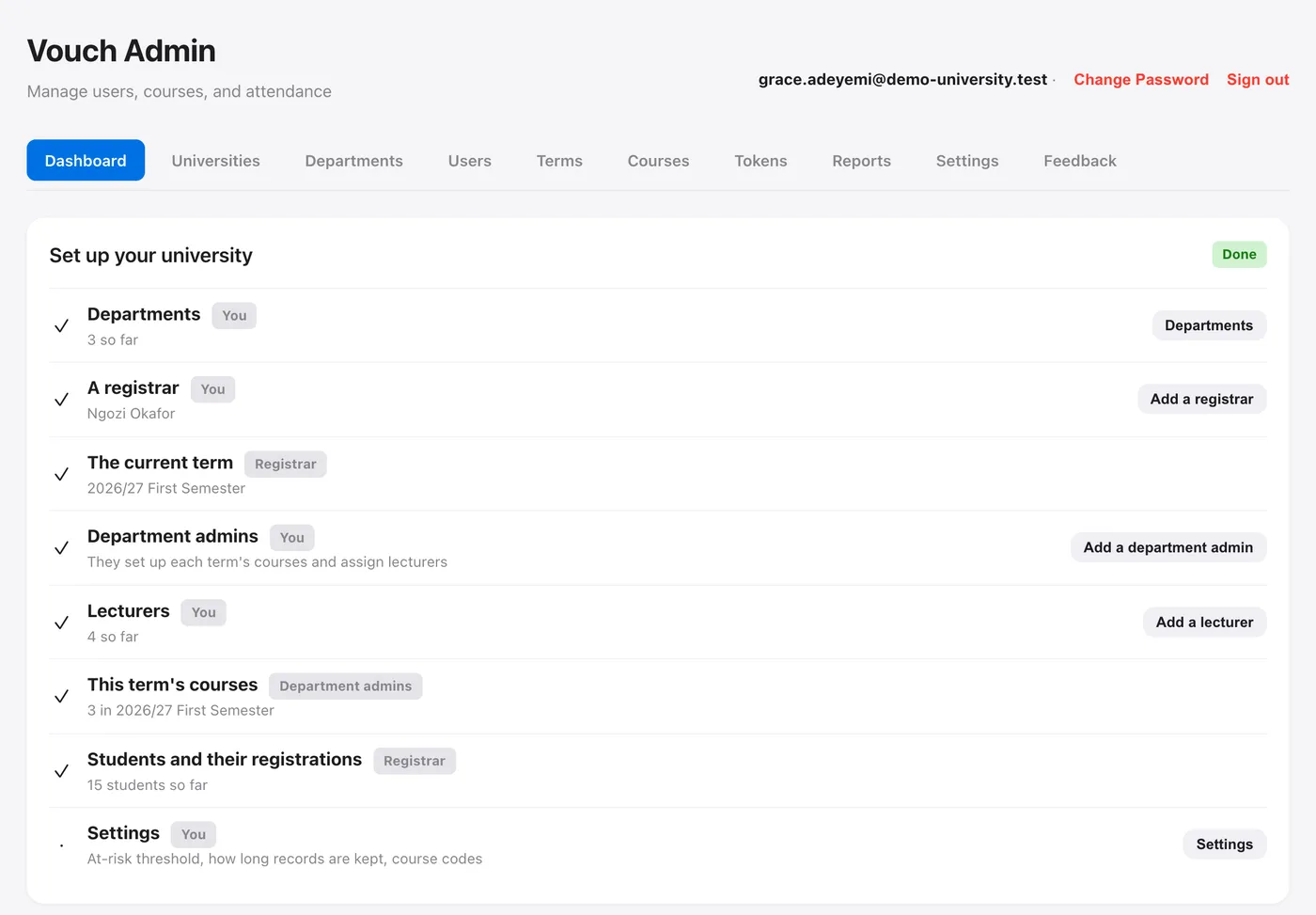
Students check in on their own phones, in the room, with their fingerprint or face. The registry gets term reports by course and department, with the students who are falling behind.
What the university gets
-
A register for every class
Each class has a dated record of who checked in and when, including how many minutes after the start. Attendance is present or absent; lateness is shown and left to the university.
-
Check-ins that are hard to fake
A check-in needs the student’s own phone, their fingerprint or face, and their presence in the room. Check-ins that look wrong are flagged for review.
-
Students at risk, early
The university sets an at-risk threshold, for example 75%. Vouch lists every student below it in each course, and warns the students in their app.
-
Term reports and exports
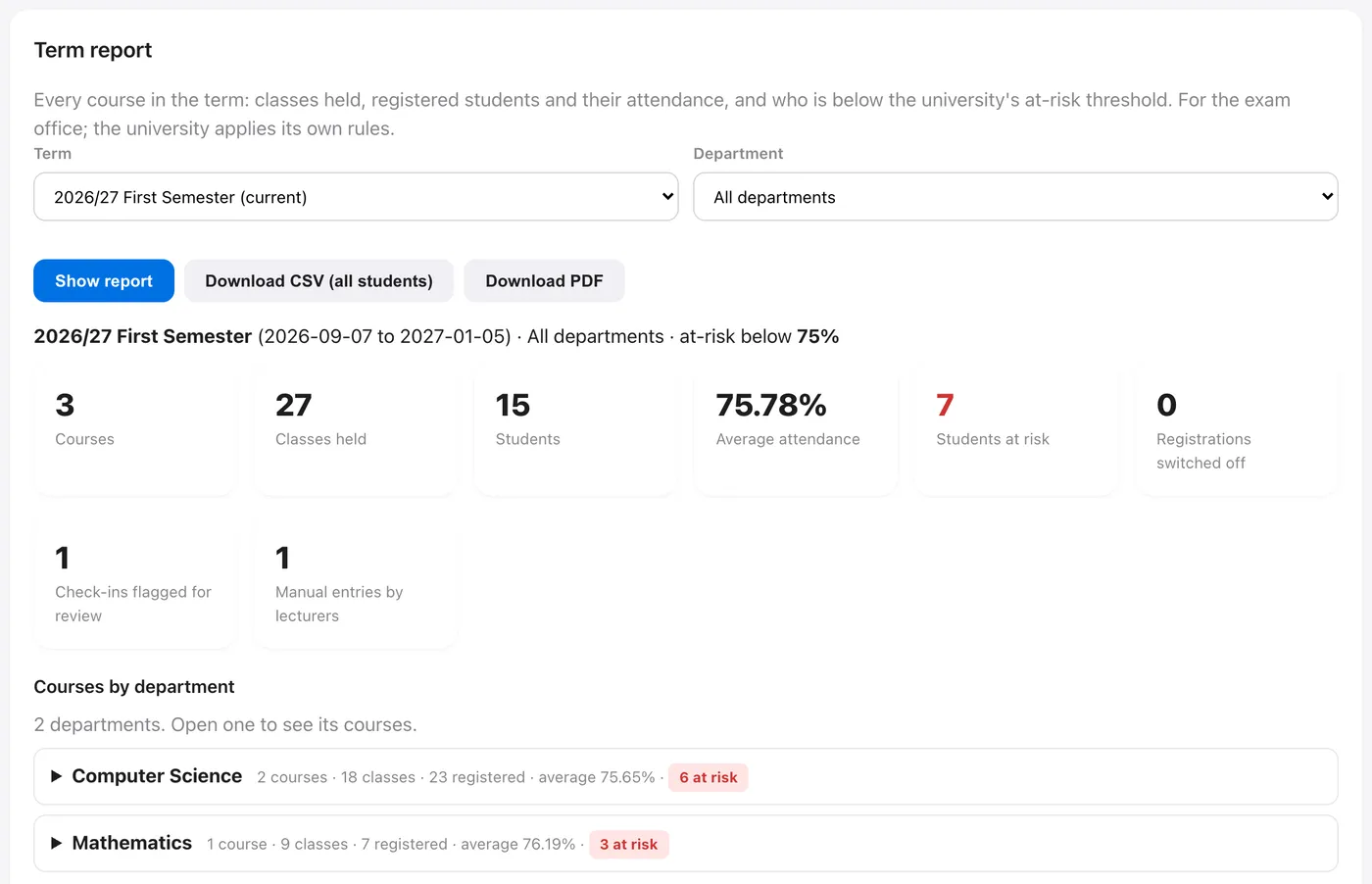
Classes held, registered students and average attendance for every course, grouped by department. Download any report as CSV or PDF for the exam office.
-
Built for unreliable power and internet
Classes run offline. Lecturers’ phones upload when they next connect, so an outage during class doesn’t lose a register.
-
Your registry stays in charge
Students can’t sign themselves up. The registry creates every student account and decides who is registered for each course each term.
Who does what
Each person signs in with their own role and sees only what that role needs.
- University admin
- Sets up departments and staff accounts. Chooses the university’s settings: the at-risk threshold, how long check-in stays open and how long records are kept.
- Registry
- Keeps the student list and each term’s course registrations. Issues activation codes, handles students who change phones and marks students who have left.
- Department admins
- Set up the department’s courses each term and assign lecturers to them. Lecturers can come from any department.
- Lecturers
- Run attendance in class, mark students present by hand when needed and follow their own course reports.
- Students
- Check in to the classes they are registered for and see their own attendance.
Reports for the registry and the exam office
The term report covers every course in a term, or one department at a time.
It shows classes held, registered students, average attendance and each student below the threshold. It also counts manual entries by lecturers and check-ins flagged for review, so you can see where to look. Course reports go down to each student.
Joining the beta
We suggest starting with one department or faculty, then widening when it works.
- You request a beta place. We reply within two working days.
- We meet your team, on campus or online, and agree where to start.
- We set up your university on Vouch. Your university admin adds departments and staff.
- The registry uploads students and the term’s registrations, and hands out activation codes.
- Lecturers use Vouch in class. We stay in close contact through the first weeks.
Pricing
The closed beta is free for this academic session. After the beta, pricing is agreed with each university.
Support and data
Help inside the product
Staff and students can send feedback from the app or the admin site. Our team replies there, so each conversation stays with the account it concerns. Universities in the beta receive the full user manual for every role.
Where the data is kept
Vouch’s servers are in Finland, in the EU. Fingerprints and face data never leave the student’s phone, and Vouch never receives them. Our privacy notice explains what we hold, where backups are kept and for how long.
Privacy noticeStart with one department this session
Tell us about your university and we’ll suggest where to begin.